
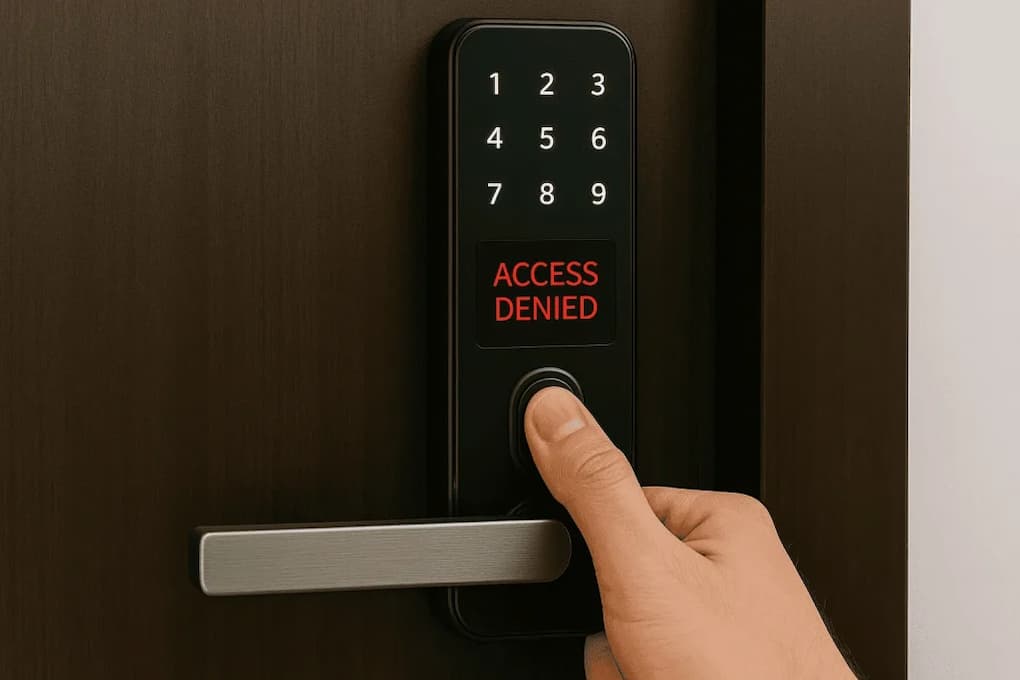
These are all remarkable benefits, but smart locks are electronic devices after all, and like any technology, they can occasionally malfunction. It can be incredibly frustrating when a lock suddenly stops responding, won’t unlock, or loses connection to the app, especially if you are standing outside waiting to open the door.
The encouraging news is that simple errors, rather than serious hardware damage, cause many malfunctions in smart locks. Before you conclude that the lock is defective or consider replacing it, check several common causes. Knowing what to check first can save you time, money, and unnecessary stress.
Low Batteries Are the Most Common Cause:
When a smart lock is not functioning properly, the first thing you usually need to check is the battery level. Most smart locks use batteries to power the electronics, the wireless connection, and the electric locking mechanism. When the battery is running low, the lock’s operation can become unstable and eventually fail.
Most smart locks warn you via a mobile app, indicator lights, or an audible signal when the battery is running low. However, these warnings are not always immediately noticeable. Users can continue using the smart lock until problems occur, such as slow response, failure to unlock, or an unstable connection.
Usually, the solution is simpler than you think: replace the batteries with new, high-quality ones. Even if the smart lock appears to still have power, a nearly empty battery can affect normal operation.
Problems with Wi-Fi or Network Connection:
Many smart locks use wireless communication technologies such as Wi-Fi, Bluetooth, Thread, Matter, Zigbee, and Z-Wave. If the smart lock suddenly stops responding to commands in the app, the problem does not necessarily lie with the lock itself but with the network connection.
Distance, interference, the location of the router, and adjustments to network settings can affect wireless signals. For example, the front door may be further away from the network than other smart devices in the home, which can lead to a poorer connection.
Before attempting to repair the lock itself, first check if other connected devices are working properly. Restarting the router, checking the network settings, or placing the communication module closer to the lock can help restore functionality without having to change anything on the lock itself.
Door Alignment Problems Can Prevent Proper Locking:
Most homeowners think that problems with smart locks are technical in nature, but in reality, they are mechanical. Even smart locks require physical parts that must connect to the door frame and the strike plate. If the door shifts slightly due to weather conditions, settling, or normal wear, the lock may struggle to close.
This is particularly noticeable during seasonal temperature fluctuations. Wooden doors expand or contract due to fluctuations in humidity, which affects the alignment between the strike plate, the lock body, and the door frame. Even small shifts can increase resistance, causing the lock to appear to jam.
If the lock motor sounds good but the strike plate does not slide smoothly, carefully check the door alignment. Often, a small adjustment solves the problem.
Older Firmware can Cause Unexpected Issues:
Like other smart home devices, smart locks run on software called firmware. Manufacturers continuously release updates to improve security, fix bugs, and enhance compatibility with smart home systems.
If you neglect firmware updates for an extended period, the lock’s performance may deteriorate or it may become incompatible with newer apps and devices. When surrounding technology changes, features that formerly worked well may no longer function.
A simple troubleshooting step that many homeowners forget is checking if firmware updates are available via the manufacturer’s app. Updates often improve stability and resolve known issues without requiring further action.
Common Misconceptions: Limitations of Bluetooth Range
Bluetooth is a popular choice for smart locks due to its low power consumption and straightforward installation. However, some users overlook the fact that the actual range of Bluetooth is limited.
The lock might work fine when you are standing right next to the door, but stop responding when you try to operate it from another room. This does not necessarily mean the lock is defective. The device may be located outside the effective Bluetooth range.
The lock’s communication method is also important. Some models support only Bluetooth, while others use Wi-Fi bridges or dedicated smart home hubs for remote control.
User Codes and Permissions Can Create Confusion:
Many smart locks offer users the ability to set up multiple user accounts and temporary access credentials. While these features are convenient, they can cause problems if you accidentally change the settings.
Expired passwords, revoked permissions, or incorrect access time settings can lead users to believe the lock is not working properly. Temporary passwords usually expire automatically. Consumers unfamiliar with these settings may find them confusing.
If you are trying to resolve access issues, it is generally advisable to check user rights and access plans in the lock’s management interface.
Weather Conditions Can Affect Performance:
Smart locks are designed for outdoor use, but extreme weather conditions can affect how they operate. Extremely low temperatures can shorten battery life. Extremely high temperatures can damage electronic components over time.
Rain, snow, moisture, and dust can also cause damage if the lock is not properly maintained. Most locks today are designed for normal outdoor conditions. Prolonged exposure to extreme weather conditions accelerates component ageing.
Regular inspection and cleaning help ensure that weather-related problems do not worsen. “By following the manufacturer’s recommendations regarding environmental conditions, the long-term reliability of the lock can be significantly improved,” according to an expert.
Problems with Smart Home Integration:
Many homeowners connect smart locks to voice assistants, automation platforms, and the broader smart home ecosystem. These integrations can be convenient, but they also mean they are more susceptible to problems.
An apparently failed command may be due to a disconnected smart home hub, outdated automation programs, or communication issues between platforms. In this case, the lock itself may function perfectly; only the remote commands are not being transmitted.
Testing the lock in the accompanying app can help determine whether the problem lies with the lock itself or with the platform it is connected to.
Mechanical Components Still Require Maintenance:
There is a widespread misconception that smart locks do not require regular maintenance. However, the mechanical parts of a lock are subject to natural wear and tear.
Dust, dirt, debris, and friction affect the moving parts over time. If the lock operates stiffly or requires extra force to open, repair may be necessary. Locks with excessive mechanical resistance increase the load on the motor and can reduce its reliability.
Regularly checking the moving parts ensures that the lock continues to operate smoothly and prevents excessive wear on electronic components.
Incorrect Installation can Lead to Long-Term Problems:
Many smart locks come with simple DIY installation manuals, and most homeowners can complete the installation. However, simple installation errors can cause problems that only become apparent weeks or months later.
Incorrect calibration, loose fasteners, misaligned components, or incorrect installation steps can cause inconsistent performance. If problems occur shortly after installation, consulting the manufacturer’s instructions can help determine if any steps were skipped.
Sometimes even experienced homeowners find that a small adjustment can solve seemingly serious problems.
What to Check First When a Smart Lock Stops Working:
Do not immediately assume that the device is defective, but resolve the problem in a logical order. First, check the battery level, as a dead battery is still the most common cause of malfunctions. Next, check if the smart lock is communicating properly with your network or smart home platform.
Before manually testing the smart lock, check the power supply and the connection. Check if the door is properly aligned. This helps determine whether the problem is mechanical or electronic. If the problem persists, check the firmware updates, user permissions, and integration settings.
Resolving problems systematically is usually much faster than replacing parts or unnecessarily resetting the entire system.
Conclusion:
Smart locks are convenient and practical, but sometimes problems can occur that affect proper functioning. Fortunately, most problems are caused by the following common reasons: a dead battery, a broken connection, a misaligned door, outdated firmware, or incorrect settings. In case you suspect the smart lock is defective, take a moment to carefully check these aspects. Many problems with smart locks are actually easy to resolve; a systematic approach to troubleshooting can usually restore normal operation without professional help or hardware replacement.
Understanding how smart locks work and the factors that typically influence their performance helps homeowners maintain a reliable access control system and get the most out of their smart home investment.
Frequently Asked Questions:
Why does my smart lock beep but not open?
This may be due to a dead battery, excessive mechanical resistance, lock alignment issues, or insufficient motor power to complete the locking cycle.
Does cold weather affect smart lock batteries?
Yes. Cold weather can affect battery performance, causing the battery to last shorter than expected.
How often should I replace the batteries in my smart lock?
Battery life varies depending on the model and usage, but most manufacturers recommend checking the battery status regularly and replacing the batteries before they run low.
Should I reset my smart lock immediately if it isn’t working properly?
Not necessarily. Usually, check the battery, connection, alignment, and firmware updates first, as these are the most common causes.
Sources & References
- Consumer Technology Association (CTA)
- National Institute of Standards and Technology (NIST)
- Electronic Security Association (ESA)
- Smart lock manufacturer installation and troubleshooting guides
- Industry publications covering smart home security technology
Related Articles

Elena Rodriguez is a certified home inspector and DIY educator specializing in maintenance routines, home repairs, decor optimization, office setup, and smart device integration. She helps homeowners tackle projects with confidence using tools they already own. Her writing focuses on actionable steps for cleaning, fixing, arranging, and automating. Elena holds a degree in Construction Management and contributes to home improvement resources regularly.